


WordPress’s built-in Media Library stores files — but it doesn’t organize, catalog, or control access to them at any meaningful scale. If you’re managing a growing library of images, documents, videos, or brand assets, you need a dedicated digital asset management plugin for WordPress. For a full introduction to what DAM means in a WordPress context, see our guide to WordPress digital asset management. The comparison below gets straight to the plugins.
What is a DAM plugin? A digital asset management (DAM) plugin extends WordPress beyond basic file storage. It adds metadata, access control, search, and organizational features so teams can find, share, and protect files at scale — features the default Media Library doesn’t include.
Quick Comparison: WordPress DAM Plugins
The five plugins below split into two categories: WordPress-native tools (assets live on your server, managed through WordPress) and external DAM connectors (assets live in a cloud platform; the plugin links WordPress to it).
| Plugin | Type | Best for | Free tier? | Price from |
|---|---|---|---|---|
| Filr | WordPress-native | Secure file libraries & access control | No | $49/year |
| File Manager | WordPress-native | Server-level file management | Yes (core) | $25/year (Pro) |
| Brandfolder | External DAM connector | Enterprise brand asset management | No | Custom quote |
| Enhanced Media Library | WordPress-native | Organizing the WP Media Library | Yes | Free (pro add-ons) |
| Canto | External DAM connector | Large-scale media management | No | Custom quote |
5 Best Digital Asset Management Plugins for WordPress
Filr, File Manager, Enhanced Media Library, Brandfolder, and Canto are the five best WordPress digital asset management plugins, each optimized for a different use case and budget.
#1: Filr — Best WordPress-Native DAM Plugin for Secure File Libraries
Filr is the strongest asset management plugin for WordPress teams that need to store, protect, and share files directly from their site. It adds filename encryption, file expiration dates (set by date or download count), and folder-level access control based on user role or email. That combination makes it the most security-focused option on this list.
You can display your file libraries anywhere on your site using simple shortcodes. Filr also blocks direct server access to your files by securing the upload directory — keeping search engines from indexing files accidentally and stopping unauthorized downloads before they happen.
Key features:
- Secure file libraries: Restrict access by user role or email; encrypt filenames; set download expiration dates
- Folder management: Organize digital assets including videos, audio, and PDFs into structured libraries
- Frontend upload: Let users upload content directly to the site’s front-end
- Bulk download: Distribute files individually or as a ZIP archive
- Live search and pagination: Handle hundreds of files without performance issues
- Custom styling: Adjust colors, borders, font sizes, and box-shadows to match your brand
Filr is the strongest choice for any WordPress site that needs genuine access control — not just file storage. It’s also the only plugin here built specifically for WordPress-native document and file libraries. Pricing: from $49/year.
#2: File Manager — Best for Direct Server-Level File Management
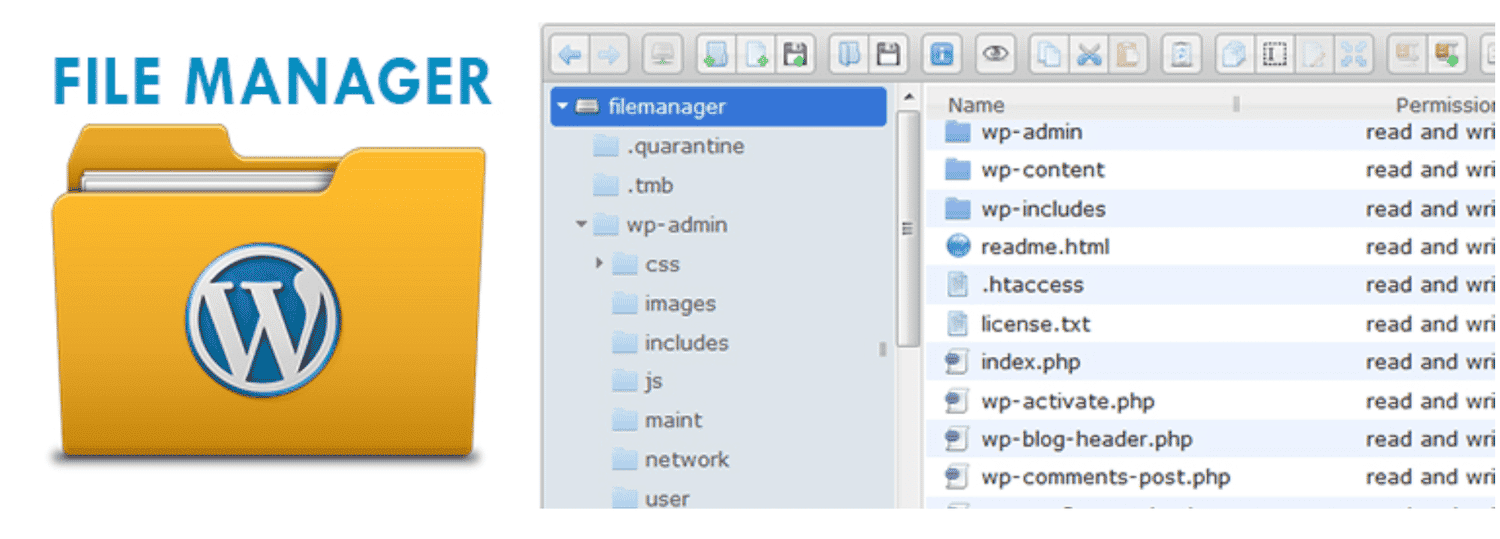
The File Manager plugin is a practical WordPress asset management tool that replaces FTP and cPanel for most day-to-day tasks. You can upload, move, rename, create, archive, and delete files and folders from the WordPress back-end — no separate FTP client needed.
The plugin supports drag-and-drop uploads from your desktop or Windows Explorer, and it connects to cloud services including Google Drive, GitHub, and Dropbox. For teams moving assets between platforms, that cross-service access is a genuine time-saver.
Key features:
- FTP alternative: Upload, copy, move, rename, create, edit, and delete files and folders on a remote server
- Multi-format support: Upload any file size; create and extract rar, zip, tar, and gzip archives
- File details: Right-click any file to view full properties and metadata
- Drag-and-drop: Add files directly from your desktop without navigating menus
- Media Library sync: Files uploaded through File Manager appear in the native WordPress Media Library
- Cloud integrations: Connect to Google Drive, GitHub, and Dropbox
Pricing: free core plugin; Pro from $25/year (adds email notifications, database management, and advanced security options). Note: some enterprise hosting environments (such as WordPress VIP) restrict server-level file access, which can limit File Manager’s functionality.
#3: Brandfolder — Best for Enterprise Brand Asset Management

Brandfolder is a cloud-based DAM platform — not a standalone WordPress file manager, but a connector between your Brandfolder account and your WordPress site. Once installed, you can pull brand assets (images, videos, logos, 3D models, GIFs) directly from Brandfolder into posts and pages, and manage folder contents from the WordPress dashboard.
Brandfolder uses AI-powered Brand Intelligence to track file views, downloads, and shares, giving you clear insight into which assets perform best. It also integrates with Adobe Creative Cloud, Figma, WooCommerce, Shopify, HubSpot, Salesforce, Marketo, Canva, and Slack. Brands like Zoom and Under Armour rely on it at enterprise scale.
Key features:
- Media Library integration (Brandfolder Browser): Import Brandfolder assets directly into posts and pages
- Popup Embed: Embed an entire Brandfolder on widgets, menu bars, posts, or pages
- AI-powered analytics: Track usage, downloads, and shares; see which assets perform best
- User-level permissions: Granular access controls ensure only authorized users can view or download files
- Version control: Track file versions and maintain brand consistency across teams
Pricing: custom (enterprise); contact Brandfolder for a quote. You need an active Brandfolder subscription to use it — this is not a free option. If you don’t already have a Brandfolder account, Filr or Enhanced Media Library are more accessible starting points.
#4: Enhanced Media Library — Best Free WordPress DAM Plugin
Enhanced Media Library solves one of WordPress’s most common frustrations: the flat, unstructured default Media Library. The plugin adds custom taxonomies — folders, topics, authors, countries, projects, or anything you define — so you can filter and search your media files the way your workflow actually works.
It also supports dynamic galleries and playlists tied to a taxonomy. Add or remove a file from a category and every gallery using that category updates automatically. Filter-based shortcodes make it straightforward to display asset groups in posts or pages without curating each one by hand.
Key features:
- Custom taxonomies: Create your own categories and tags for media (folders, authors, projects, and more)
- Filter controls: Configure media filters to control which images appear in the back-end grid
- Bulk editing: Reorder files, edit titles, filenames, and captions in bulk
- Dynamic galleries: Galleries and playlists update automatically when assets join or leave a category
- File type control: Set which file types users can upload; filter the library by file type
Pricing: free. Pro add-ons are available for advanced features. Enhanced Media Library is the best free option for users who want to stay inside the native WordPress interface and add real taxonomy-based organization.
#5: Canto — Best for Large Enterprise Media Libraries

Canto is an enterprise DAM platform — like Brandfolder, it works as a connector between your existing Canto account and WordPress rather than as a self-contained file manager. Once connected, you can search your Canto media library from within WordPress and insert assets directly into posts and pages.
Canto stands out for AI-powered facial recognition (so you don’t re-tag the same people repeatedly), Smart Albums that auto-sort assets by keyword, tag, or file type, and granular user roles: Administrators, Contributors, and Consumers each carry distinct permissions. It also supports time-limited share links — useful for sharing sensitive assets without permanent exposure.
Key features:
- Facial recognition: Automatically tag people in photos — no repeat tagging
- Smart Albums: Sort media by keywords, tags, and file types automatically
- User role management: Distinct permission levels for Administrators, Contributors, and Consumers
- Expiring share links: Set expiration dates on share links and emails to protect sensitive files
- Custom sorting: Sort alphabetically, by date, or by file type for fast asset discovery
Pricing: custom (enterprise); contact Canto for a quote. Canto suits organizations already managing large media libraries who need a WordPress connector — not teams building from scratch.
What to Look for in a WordPress DAM Plugin
The right plugin depends on four factors:
- Search and filtering. For libraries with hundreds of files, you need fast search by filename, metadata, and custom categories. Filr’s live search and Enhanced Media Library’s taxonomy filters both handle this well at different price points.
- Access control. Who can view, download, or upload? Role-based and email-based access control (Filr, File Manager Pro, Brandfolder) matters most for teams and client-facing file sharing.
- Integration type. Filr, File Manager, and Enhanced Media Library are WordPress-native — assets live on your server. Brandfolder and Canto are external DAM connectors — assets live in the cloud, and the plugin is a bridge. Choose based on where you want your files to live.
- Pricing model. Enhanced Media Library and File Manager both offer free tiers — good entry points for smaller sites. Filr starts at $49/year for the features that make it genuinely useful. Brandfolder and Canto require enterprise quotes.
For a broader look at file and document handling, see our roundup of the 7 Best Document and File Management Plugins for WordPress. DAM plugins focus on media assets and access control; document management plugins handle categorization and front-end document browsing — they solve related but distinct problems.
Frequently Asked Questions
Filr is the best WordPress-native DAM plugin for teams that need secure, access-controlled file libraries. It offers filename encryption, expiration dates, user-role restrictions, and frontend upload — all without relying on an external DAM platform. For a free option, Enhanced Media Library is the strongest choice.
Yes. Enhanced Media Library is free and adds custom taxonomies, dynamic galleries, and bulk-editing to the WordPress Media Library. The File Manager plugin also has a free core version that handles file uploads, archiving, and server-level file operations. Both are available on WordPress.org.
The fastest way to improve WordPress digital asset management is to install a plugin that adds metadata, search, and access control to your file library. Filr handles secure document libraries with role-based access; Enhanced Media Library adds taxonomy-based organization to your existing Media Library; Brandfolder and Canto connect an external enterprise DAM to WordPress via plugin.
The WordPress Media Library stores files but offers no taxonomy, access control, or metadata management. A DAM plugin adds those layers — letting you categorize files, restrict who can download them, set expiration dates, and search by custom attributes. It turns WordPress from a basic file store into a manageable asset library.
Not necessarily. Enhanced Media Library (free) and File Manager (free core) both provide real organizational improvements at no cost. Paid plugins like Filr ($49/year) add security features such as filename encryption and role-based download restrictions. Enterprise platforms like Brandfolder and Canto require a custom subscription on top of the WordPress plugin.
Choose Your WordPress DAM Plugin
Picking a WordPress digital asset management plugin comes down to matching your file volume and security needs to the right tool — free organizational plugins for small libraries, paid options like Filr for role-based access and encrypted downloads, or enterprise DAM integrations for large teams.
Need the security layer a plugin comparison alone can’t give you? Get Filr and start managing your assets with real access control.