


WordPress lets you upload PDFs and documents to your Media Library, but it won’t show them to visitors in a readable format. By default, clicking a document link sends the user away from your site to open the file separately. That breaks engagement and, for instructors or shop owners sharing course material or product documentation, it costs conversions.
The best pdf viewer for wordpress embeds documents directly in your pages and posts. Visitors stay on your site and read without bouncing to another tab. Some plugins go further, adding access control, download management, and library organization on top of inline viewing.
Here are ten of the best options, from lightweight single-file viewers to full document library systems. The comparison table below maps each to its best use case, so you can skip straight to the right fit.
What Is a WordPress File Viewer Plugin?
File viewer plugin: A WordPress plugin that embeds documents — PDFs, Office files, spreadsheets — directly in pages and posts so visitors read them inline, without leaving your site.
A WordPress file viewer plugin embeds documents — PDFs, Word files, spreadsheets, PowerPoint slides — directly in pages and posts so visitors read them inline. Without one, WordPress can only link to files, sending users off-site to open them separately. A viewer keeps users on your page, which improves engagement and gives you more control over the experience. The ten plugins reviewed here collectively cover more than 700,000 active WordPress installations, reflecting how common this need is across site types.
Note: this roundup focuses on viewing files inline. If you need full document management (custom fields, taxonomies, bulk uploads), see our roundup of document and file management plugins, which covers those tools in detail.
WordPress PDF Viewer Plugins: Quick Comparison
Seven of the ten plugins below offer a free plan, and six include a native Gutenberg block — here is how they compare at a glance:
| Plugin | Best For | Free Plan | Gutenberg Block | File Types |
|---|---|---|---|---|
| Filr | Document libraries + access control | ✗ | ✓ | PDF, DOC, XLSX, and more |
| Embed Any Document | Multi-format + cloud embed | ✓ | ✓ | PDF, DOCX, XLSX, PPTX |
| PDF Embedder | Clean PDF-only viewer | ✓ | ✓ | |
| PDF.js Viewer | Advanced PDF viewing features | ✓ | ✓ | |
| 3D FlipBook | Magazines, brochures, e-books | ✓ | ✓ | PDF, images |
| Flowpaper | Flipbook with dark/light themes | ✓ | ✓ | |
| PDF & Print | Convert posts to downloadable PDFs | ✓ | ✗ | PDF (generated) |
| Document Viewer | Office files without Office installed | ✓ | ✓ | DOC, XLS, PPT, PDF |
| WooCommerce Product Files Tab | Product documentation in WooCommerce | ✓ | ✗ | PDF, DOC, XLS, ZIP |
| Elfsight File Embed | Multi-format embed via widget | ✓ | ✓ | PDF, DOCX, JPG, JPEG, 20+ |
#1: Filr — WordPress Document Library Plugin
Filr is a WordPress document viewer and library manager that goes beyond inline embedding to give you a fully organized, access-controlled document collection on your site. It includes five distinct security and management capabilities not found in any free viewer here: encryption, expiration dates, download limits, role-based access control, and front-end file creation. Filr displays files using shortcodes and Gutenberg blocks, and controls precisely who can view or download each document.
For a deeper look at building a browsable file library with Filr, see the WordPress document library guide.
Key features:
- Single and bulk downloads — let users download one file at a time or package multiple files as a single ZIP archive.
- Library organization — group documents into named collections and manage them from the WordPress admin.
- Front-end uploads — allow authorized users to add files directly from the site’s front end.
- Access control — restrict documents to logged-in users or specific roles, keeping sensitive files private.
- File security — encrypt files and set expiration dates or download limits.
As a result, Filr suits online instructors sharing course packs, membership sites gating premium content, and businesses publishing technical documentation they don’t want publicly indexed.
#2: Embed Any Document
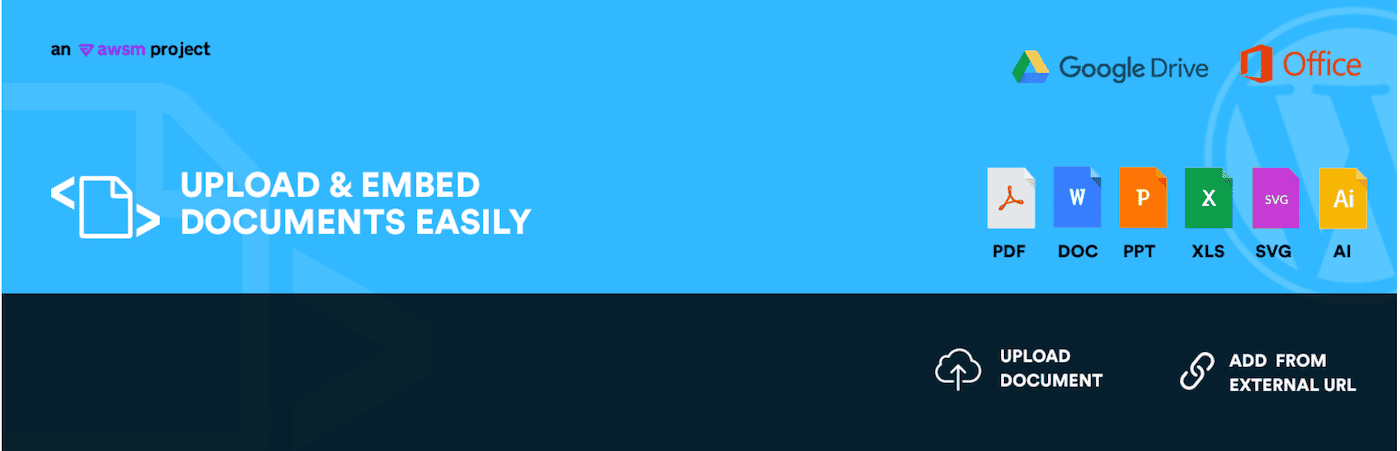
Embed Any Document has over 500,000 active installs, making it one of the most widely used pdf viewer for wordpress plugins. It adds Microsoft Word, PowerPoint, Excel, PDF, and plain-text files to any post or page — no Acrobat Reader, Flash, or browser extension required.
Key features:
- Renders documents through Microsoft Office Online or Google Docs Viewer — two independent engines, so if one is unavailable you switch with a single click.
- Supports Word, PowerPoint, Excel, PDF, text, and TIFF files.
- Mobile-ready and cross-browser compatible out of the box.
- Clean interface requires no coding to embed files.
Price: Free.
#3: PDF Embedder
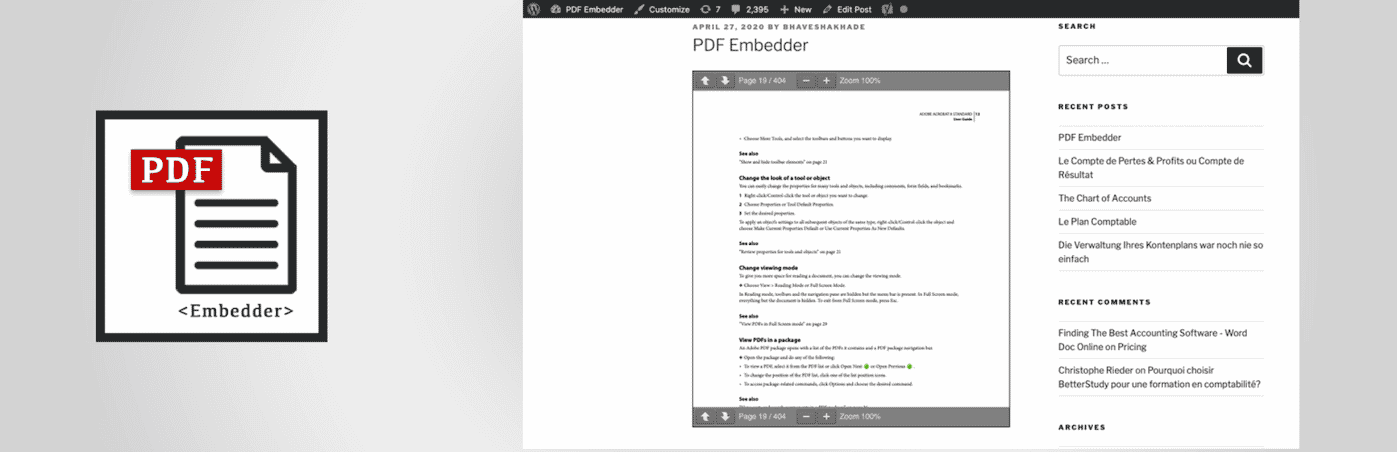
PDF Embedder has over 200,000 active installations (WP Engine, 2024) and is the go-to for straightforward PDF display. It uses JavaScript only — no iframes, no third-party cloud rendering — so you keep full control over how your documents appear.
Key features:
- Auto-resizes PDFs to their natural dimensions, or lets you set a fixed size.
- Drag-and-drop upload via the standard WordPress Media Library.
- Premium version adds a toolbar download button, continuous page scrolling, full-screen mode, and view/download tracking.
Price: Free; premium from $20/site.
#4: PDF.js Viewer
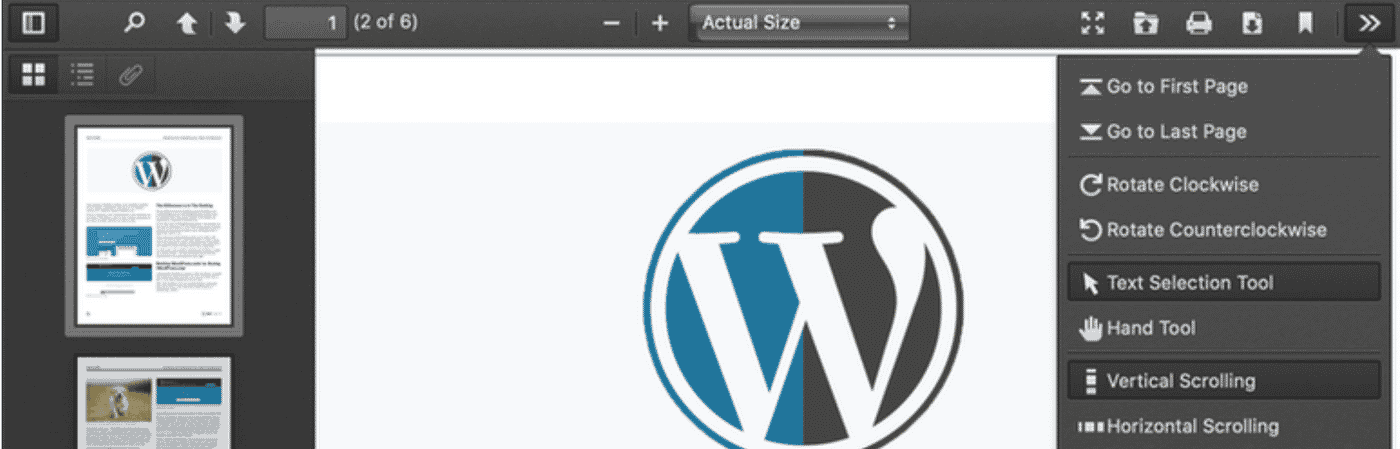
PDF.js Viewer renders PDFs in a clean grey-framed interface powered by Mozilla’s PDF.js library — the same open-source rendering engine that Firefox has used to display PDFs in-browser since 2012. Because PDF.js runs entirely in the browser, the viewer handles rendering without any server-side conversion and works across languages and devices.
Key features:
- Gutenberg blocks and shortcodes for embedding in pages and posts.
- Lazy loading — only renders the part of a document the user has scrolled to, which helps page speed.
- Password protection for sensitive PDFs.
- Customizable buttons, advanced search within the document, and zoom controls.
- Full mobile support — works well on narrow screens.
Price: Free.
#5: 3D FlipBook

3D FlipBook turns a flat PDF into an interactive, page-turning reading experience and is available at no cost on WordPress.org. It simulates the physics of an actual book, letting you control how pages deform as they turn. For magazines, brochures, product catalogs, and booklets, this presentation is far more engaging than a static viewer.
Key features:
- Responsive flipbook works on mobile and tablet as well as desktop.
- PDF bookmarks, in-document search, smart pan mode, and auto resolution.
- Customizable page-turn animation and physics.
Price: Free.
#6: Flowpaper

Flowpaper offers a flipbook-style PDF viewer with developer-friendly customization. Visitors can switch between light and dark themes, which suits sites where design consistency matters. Flowpaper supports three hosting methods: link to an external file, upload to WordPress, or upload to the Flowpaper cloud (files up to 15 MB).
Key features:
- Broad browser and device support.
- Light and dark theme switching for viewers.
- Three file-hosting options for flexibility.
Price: Free.
#7: PDF & Print
PDF & Print converts any WordPress post or page into a downloadable, printable PDF on the fly — a capability none of the pure file viewers above can match. That makes it useful for long-form content — guides, tutorials, documentation — where visitors want an offline copy. The free version on WordPress.org includes PDF and print buttons with no ads or watermarks on the generated output.
Key features:
- No coding required; adds PDF and Print buttons automatically.
- Configurable per user role, so you can restrict PDF downloads to members or logged-in users.
- Buttons can appear on posts, pages, search results, archives, and custom post types.
- Set button actions: download the PDF directly or open it in a new window.
Price: Free.
#8: Document Viewer — Embed and Display Office and PDF Files
Document Viewer handles the file formats that pure PDF viewers can’t: Microsoft Word (.doc/.docx), Excel (.xls/.xlsx), and PowerPoint (.ppt/.pptx). With 2,000+ active installs and an update as recent as June 2026, it’s one of the most actively maintained document viewer plugins on WordPress.org.
Files render through Google Doc Viewer or Microsoft Office Online Viewer — both cloud-based, so visitors see documents without needing Office installed. This suits technical teams, schools, and organizations that publish a mix of Office and PDF files.
Key features:
- Dual-engine rendering: Google Doc Viewer or Microsoft Online Viewer.
- Gutenberg block included — no shortcode needed in newer sites.
- Pro version adds Google Drive, OneDrive, and Dropbox integration, plus options to hide the download button and disable right-click.
- Works on desktop, tablet, and mobile.
Price: Free; pro version available via subscription.
#9: WooCommerce Product Files Tab

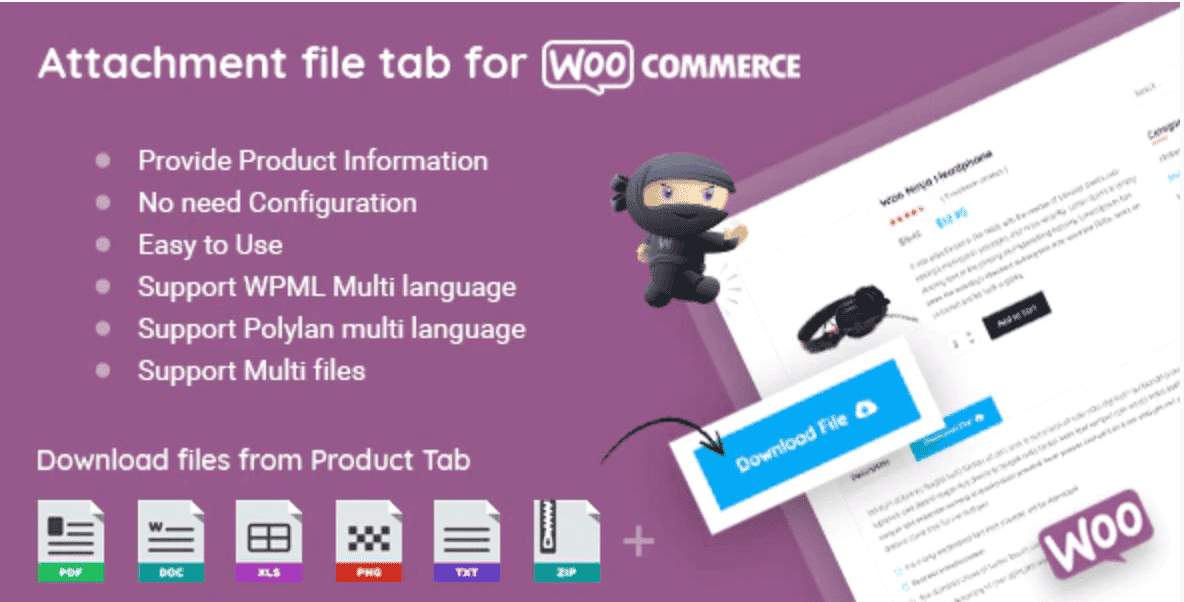
WooCommerce Product Files Tab adds a dedicated Files tab to WooCommerce product pages, letting customers view specs, manuals, and supporting documentation alongside the product listing. It supports 6 popular file types — PDF, DOC, XLS, PNG, TXT, and ZIP — and works with both WPML and Polylang for multilingual stores. For stores needing a wordpress file viewer scoped to product pages, this fills the gap.
Key features:
- Simple back-end configuration — no developer setup needed.
- WPML and Polylang compatible for multilingual stores.
- Supports PDF, DOC, XLS, PNG, TXT, and ZIP file types.
Price: Free.
#10: Elfsight File Embed
Elfsight File Embed is a cloud-hosted widget trusted by over 3,000,000 websites worldwide (Elfsight, 2026). It supports around 20 file formats — PDF, DOCX, JPG, JPEG, and more — with files stored on Elfsight’s CDN, so you need no separate file hosting.
Key features:
- Upload files, add by URL, or select from recently uploaded items.
- Inline viewer so users read documents on the page without downloading.
- Optional download button to let visitors save the original file.
- Name individual files and upload custom icons or preview images.
- Choose from grid or list layout variants.
Price: Free plan available; paid plans unlock more features on Elfsight Apps.
Frequently Asked Questions
PDF Embedder and Embed Any Document are the most popular free options. PDF Embedder is cleaner for PDF-only sites; Embed Any Document covers multiple formats including Word, Excel, and PowerPoint.
Most do. PDF.js Viewer, PDF Embedder, Embed Any Document, Document Viewer, 3D FlipBook, and Elfsight File Embed all include Gutenberg blocks. PDF & Print and WooCommerce Product Files Tab rely on buttons and shortcodes instead.
Yes. Plugins like Filr, PDF.js Viewer, PDF Embedder, and Document Viewer embed documents directly in the page. Most also offer an optional download button you can enable or disable.
WooCommerce Product Files Tab adds a dedicated Files tab to product pages. Filr also works for WooCommerce stores that need gated downloads or bulk file management alongside product documentation.
No. PDF Embedder, Embed Any Document, PDF.js Viewer, Document Viewer, and most others in this list offer fully functional free versions. Premium upgrades typically add analytics, download tracking, or cloud storage integration.
Conclusion
The right pdf viewer for wordpress depends on what you’re publishing. For simple inline PDF display, PDF Embedder (200,000+ installs) or PDF.js Viewer get the job done at no cost. For multi-format documents — Word, Excel, PowerPoint — Embed Any Document (500,000+ installs) or Document Viewer covers the broader base. For interactive publications like catalogs or e-books, 3D FlipBook or Flowpaper add the presentation layer.
If you’re managing a larger collection — course materials, product documentation, member-only files — Filr is the strongest choice. Its combination of document library organization, front-end viewing, access control, and file security goes well beyond what a simple PDF viewer provides.
Check out the 7 Best Document and File Management Plugins for WordPress if you need broader file management beyond just viewing.